
How to shuffle a YouTube playlist with more than 200 videos
On 19 November 2026 we gave YouTube's embedded player two playlists, one of 302 videos and one of 6,128. Both times it held 200, and with shuffle on, every video it played came from those 200. To shuffle the whole playlist, the list itself has to be read: the Playlist Rearranger reads up to 1,500 videos, shuffles all of them, and keeps a random 200 to play and share.
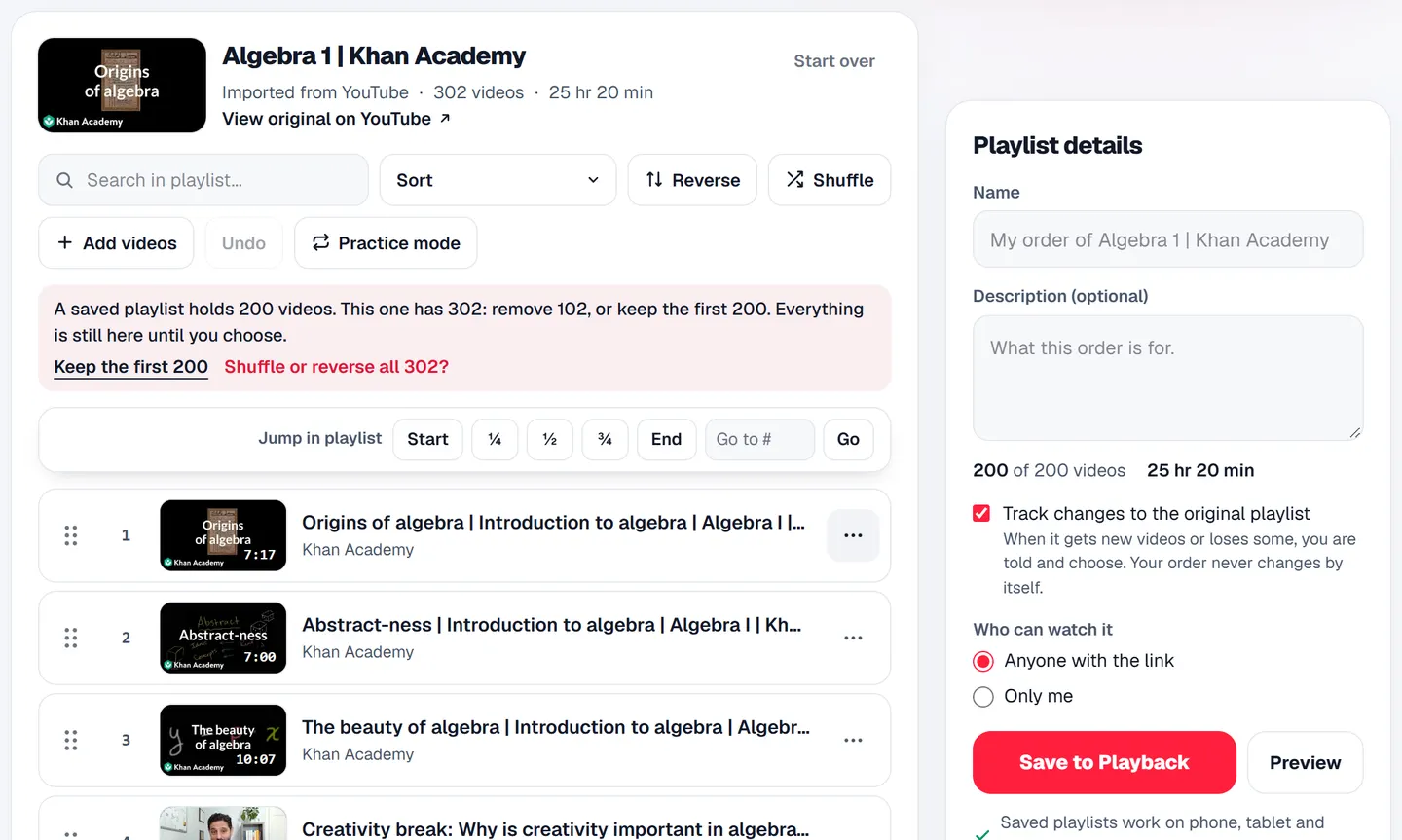
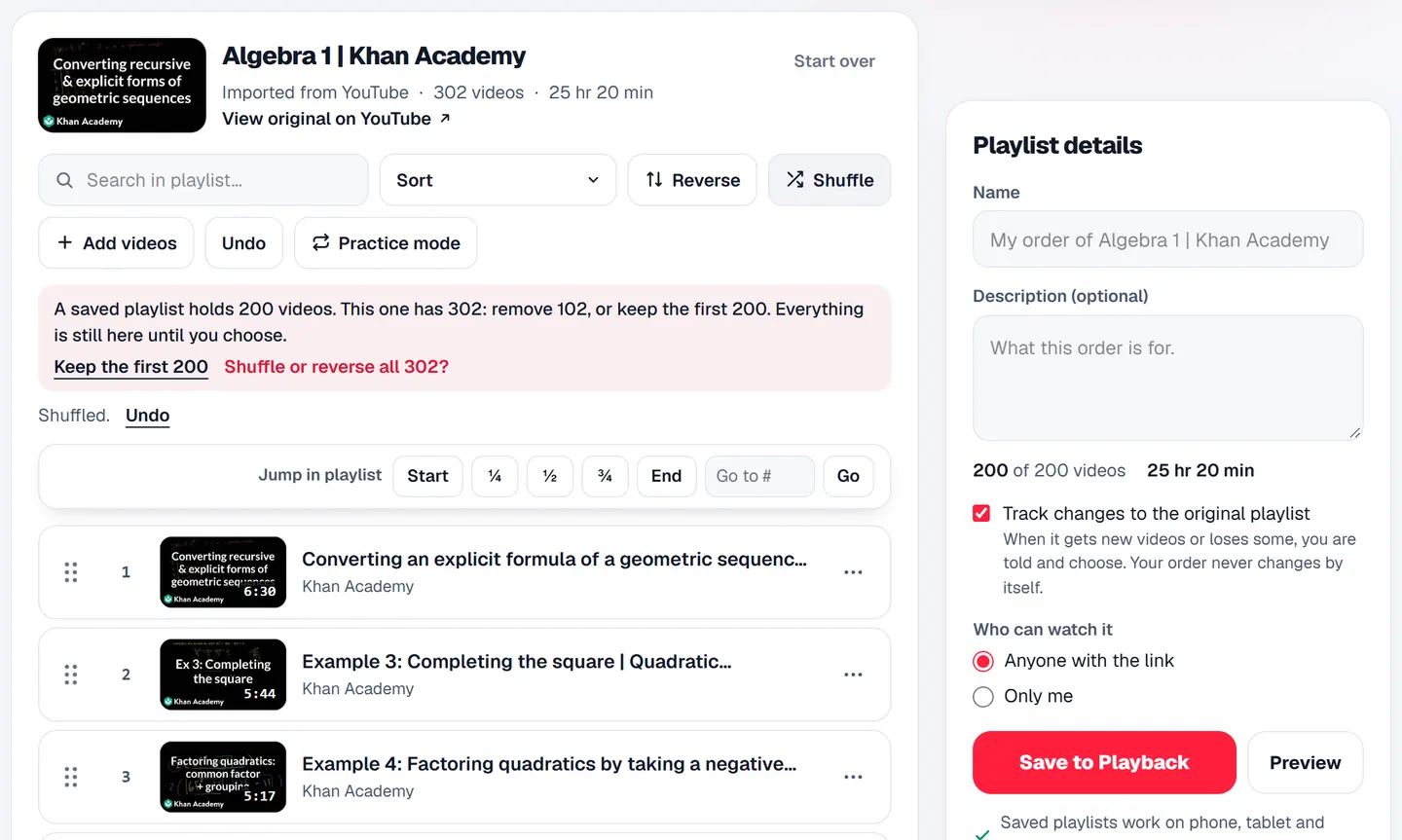
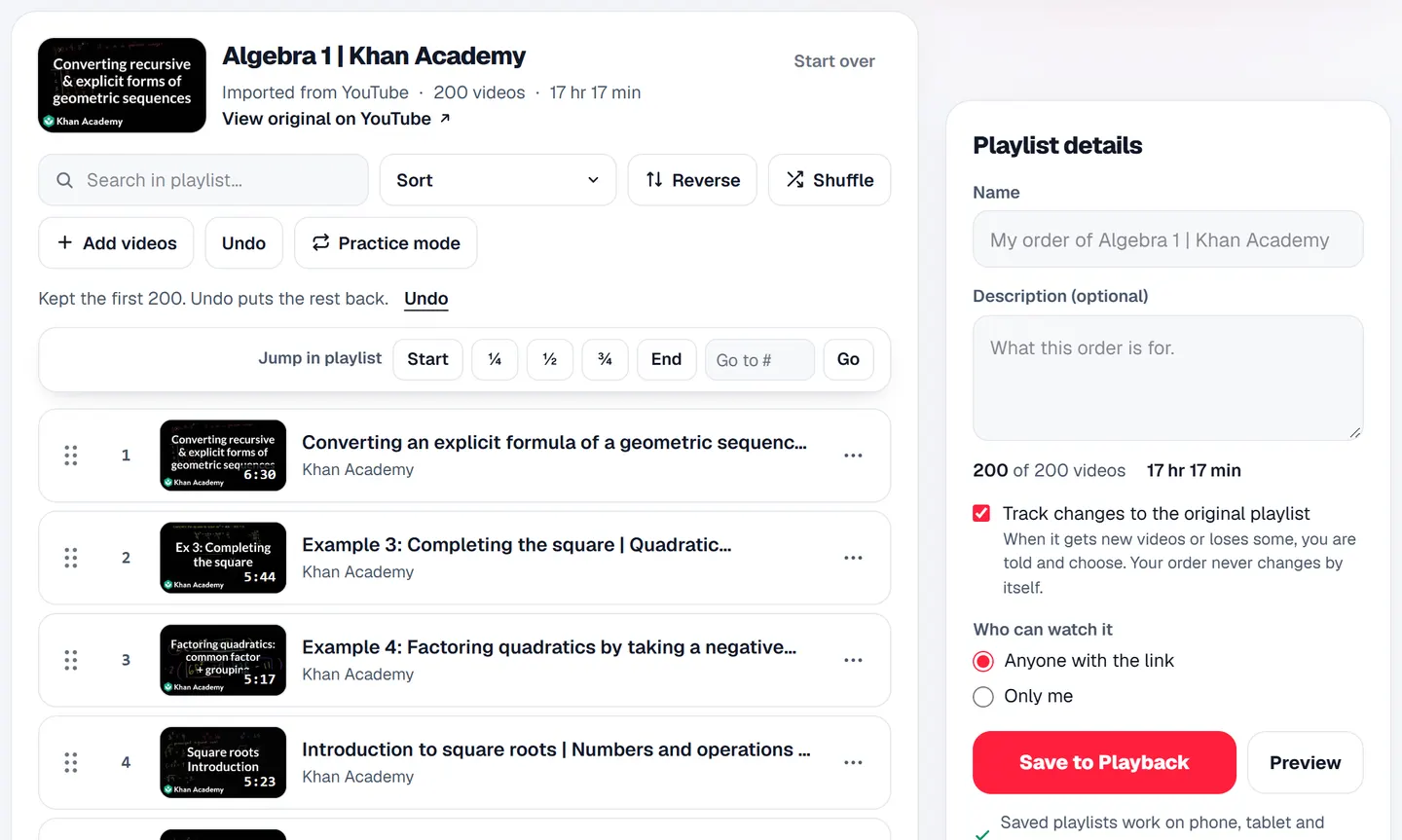
In one breath: paste the playlist's link into the Playlist Rearranger and press Import (it reads up to 1,500 videos). Press Shuffle, then Keep the first 200: that is a random 200 drawn from the whole playlist. Play it, or save it for a link of your own. Shuffle again for a different 200.
Why shuffle keeps playing the same videos
We measured the player that websites embed, YouTube's own IFrame player, with two public playlists. Each time we asked it how many videos it held, turned shuffle on and pressed Next twenty times, then asked it for a video past the 200th:
| Playlist | Videos in it | Held by the player | Asked for a video past 200 |
|---|---|---|---|
| Algebra 1, Khan Academy | 302 | 200 | Asked for the 250th, it stayed on the 199th |
| Uploads from Google for Developers | 6,128 | 200 | Asked for the 300th, it stayed on the 200th |
The 200 it held were the playlist's first 200, in order, and with shuffle on, every video it played came from them. So a shuffle built on that player mixes the first 200 videos and never reaches the rest, however long the playlist is. We measured the embedded player only, not YouTube's own site or app, and say nothing here about either.
How to shuffle every video in a big playlist
- 1Copy the playlist's link on YouTube. Any address with list= in it works.
- 2Open the Playlist Rearranger, paste it and press Import. It reads up to 1,500 videos and shows all of them. Over 200, it says a saved playlist holds 200 and leaves everything in place until you choose.
- 3Press Shuffle. Every video read is mixed, not only the first 200.
- 4Press Keep the first 200. After a shuffle, that is a random 200 from the whole playlist. Undo puts the rest back.
- 5Press Preview to play it here, or name it and press Save to Playback for a link that plays your shuffled order.
What you can shuffle, play and save
- 1Read: up to 1,500 videos of a playlist. Past that, the page says how many it did not read.
- 2Shuffle: every video read, all 1,500 if the playlist has them.
- 3Play and save: 200 at a time. Preview plays the first 200 of your order, and a saved playlist holds 200.
- 4Keep up to 5 saved playlists. Shuffle again and keep the first 200 for a different random 200.
- 5Every video plays in YouTube's own player, with YouTube's ads as YouTube decides, so the people who made them keep the views.
Shuffle a saved playlist each time you play it
A saved playlist on Playback has Sort above its list, and Shuffled is one of the choices. It mixes the playlist again on every visit, with the video playing kept first, and leaves the saved order and its link as they are. Reversed, A to Z, Newest first, Oldest first and Most popular sit beside it. For a playlist played last to first, see how to reverse a YouTube playlist.
Questions
- Is YouTube's shuffle limited to 200 videos?
In YouTube's embedded player, it was when we measured it on 19 November 2026: given playlists of 302 and 6,128 videos it held 200, and neither shuffle nor asking for the 250th or 300th video went past them. We did not measure YouTube's own site or app.
- Can I shuffle a playlist of 5,000 videos?
The Rearranger reads the first 1,500 and says how many it did not read. It shuffles those 1,500, and you keep 200 at a time to play or save.
- Does shuffling change the playlist on YouTube?
No. Nothing here signs in to YouTube. Your shuffled order is your own playlist on Playback, and the original stays as it is.
Shuffle a big playlist
Up to 1,500 videos read, a random 200 kept. Free, no Google sign-in.
Shuffle a big playlist →Or try Playlist length when you want to know how long a big playlist runs.
Read next
- GuideHow to reverse a YouTube playlist (play it last to first)YouTube has no Reverse button. Flip any playlist's real order, last video first, without changing the original, and see why Oldest first is not the same thing.
- GuideHow to change YouTube playlist order (properly) in 2026Reorder a YouTube playlist on a computer or phone, why a dragged video snaps back, what sorting really does, and how to put someone else's playlist in your own order.