
How to reverse a YouTube playlist (play it last to first)
YouTube has no Reverse button for a playlist. Paste the playlist into the Playlist Rearranger and press Reverse: the last video plays first and the order is exactly backwards, whoever made the playlist, while the original on YouTube stays as it is. Sorting by date, oldest first, can look like the same thing. It is not: it goes by when each video was uploaded, not by where it sits in the playlist.
In one breath: copy the playlist's link, paste it into the Playlist Rearranger, press Import, then Reverse. Play it as it is, or press Save to Playback for a link of your own that plays it backwards. Nothing changes on YouTube.
Can you reverse a playlist on YouTube?
Not with one button. YouTube's Help Center describes dragging videos one at a time, and nothing that reverses a playlist (checked 19 November 2026). YouTube's sort options, added in November 2019, order a playlist by date added, date published or popularity, and only the person who made a playlist can change it at all.
Reverse is not the same as oldest first
A date sort looks at each video's upload date. A playlist's order is whatever its maker set, and the two drift apart the moment a video is uploaded again, added late or moved by hand. Take a five-lesson course that its channel added newest first, where lesson 2 was uploaded a second time after lesson 5 to fix a mistake:
| Plays in this order | |
|---|---|
| The playlist as YouTube shows it | Lesson 5, 4, 3, 2, 1 |
| Reverse | Lesson 1, 2, 3, 4, 5 |
| Oldest uploads first | Lesson 1, 3, 4, 5, 2 |
Reverse flips the order the maker set, so lesson 2 stays in its place. Oldest first moves it to the end, because its new upload is the newest of the five. That is the difference between a course you can follow and one that skips a step. The table is what the Rearranger's own Reverse and Oldest uploads first do with that course.
How to reverse any YouTube playlist
- 1Copy the playlist's link on YouTube. Any address with list= in it works, from the playlist's page or from a video playing in it.
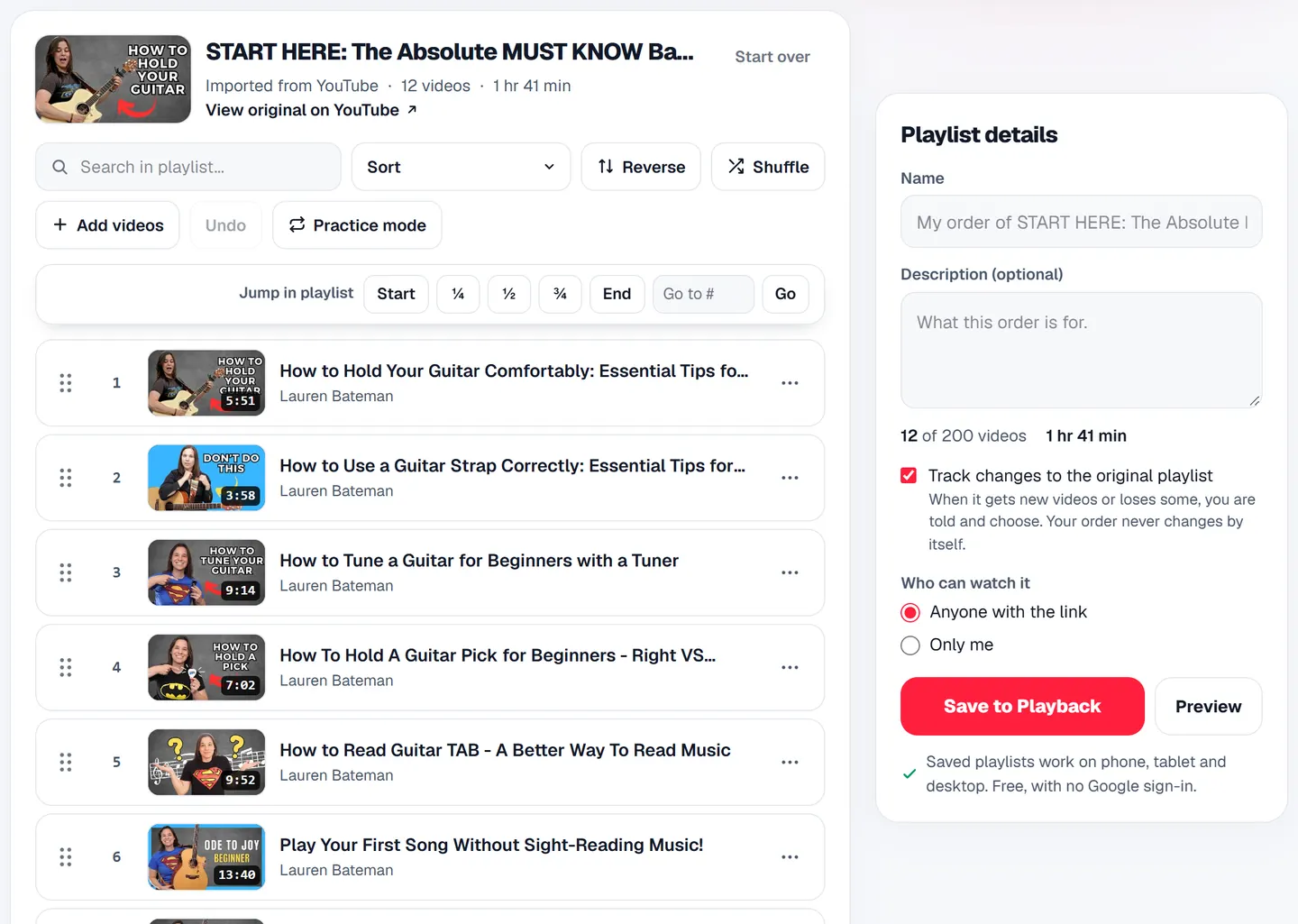
- 2Open the Playlist Rearranger, paste the link and press Import. The playlist appears in YouTube's order, with each video's length.
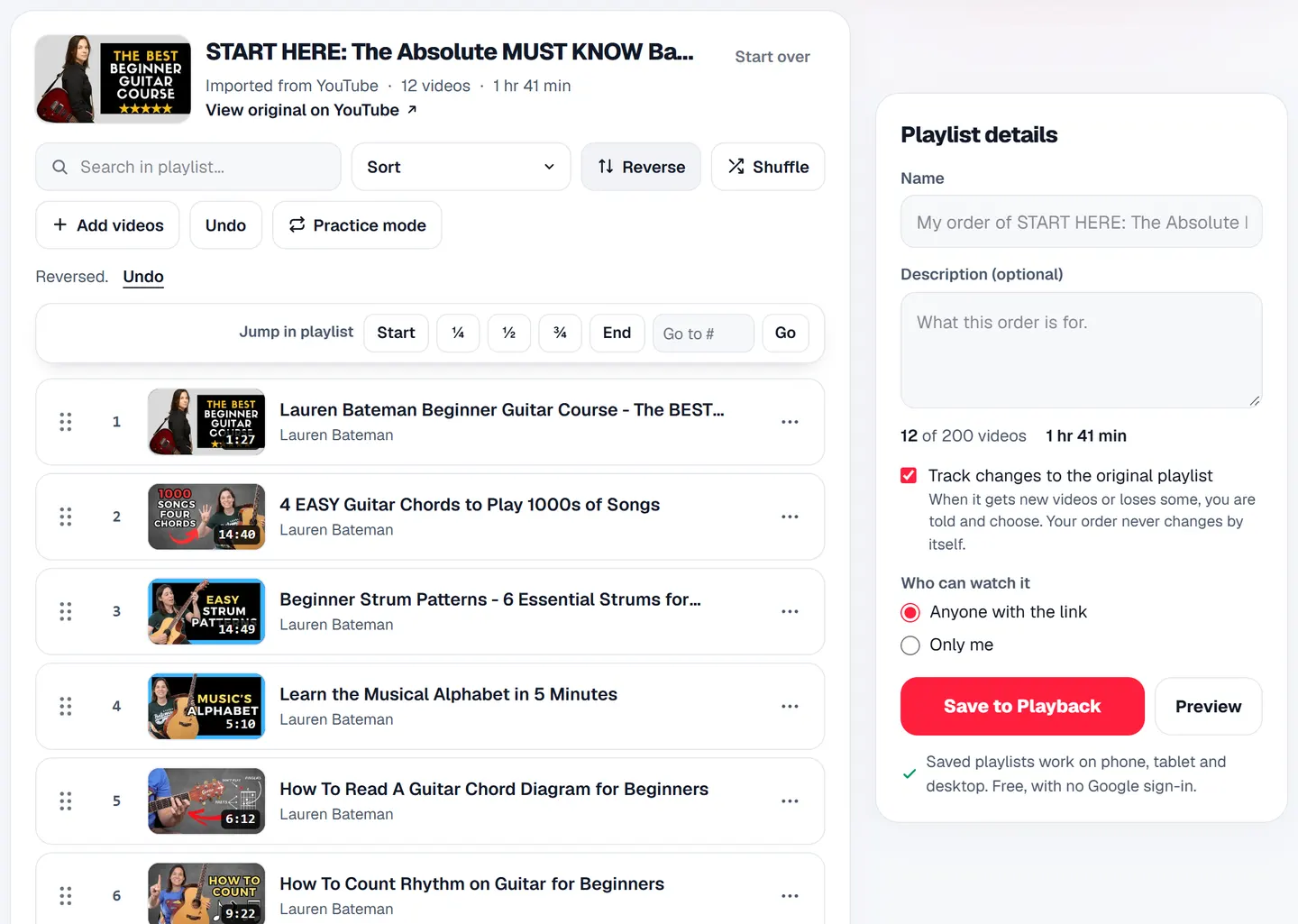
- 3Press Reverse. The last video is now first. Undo puts it back, and Original order returns to YouTube's order whatever else you did.
- 4Press Preview to play it here, or name it and press Save to Playback. Your reversed version gets its own link, and anyone who opens it watches in your order.
Play a saved playlist backwards without changing it
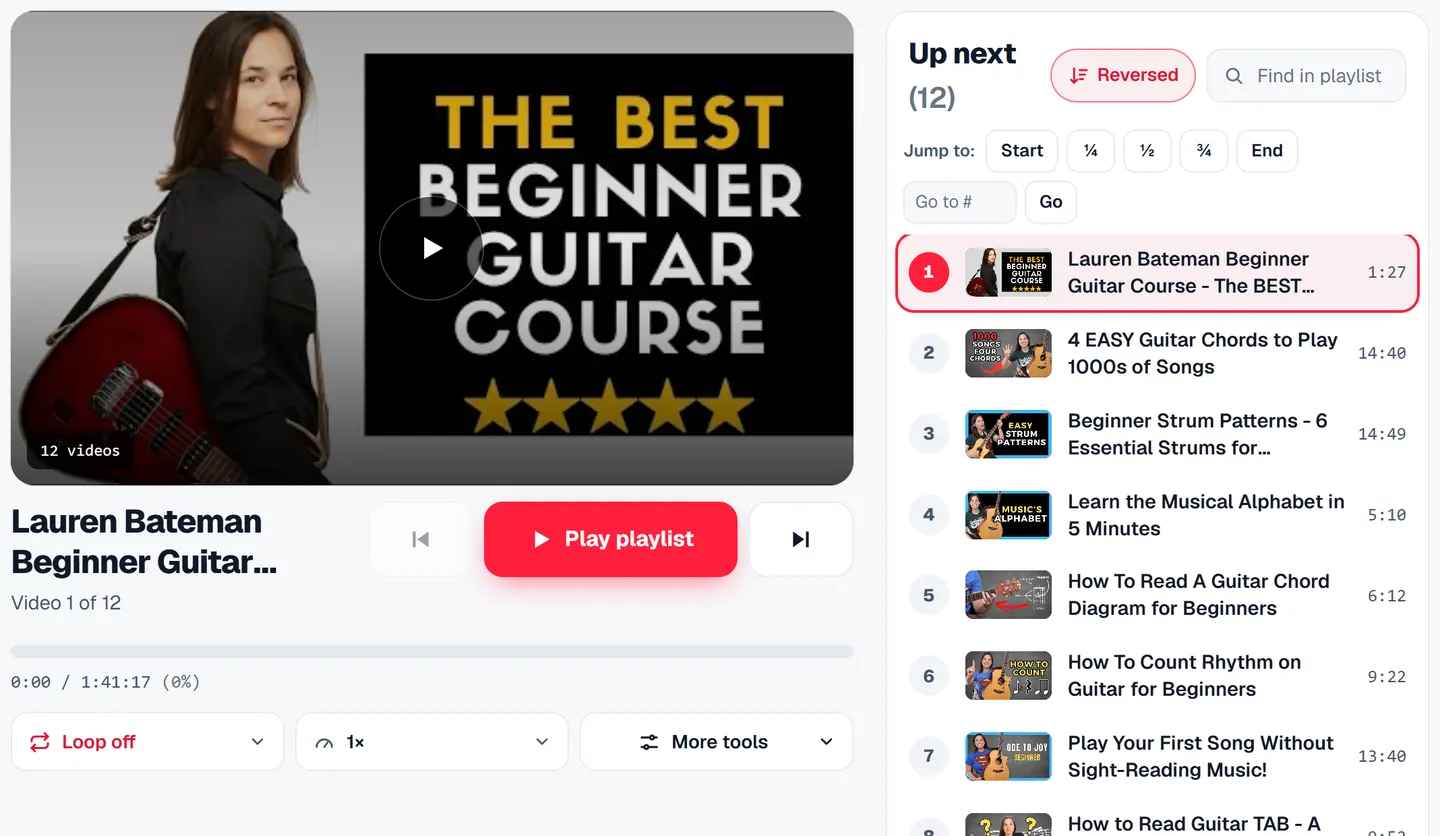
A playlist saved on Playback has Sort above its list of videos, and Reversed is one of the choices. It plays the playlist last to first for you, on this visit, and leaves the playlist and its link as they are. The video playing carries on, and Next follows the reversed order.
Reversing a playlist of more than 200 videos
The Rearranger reads up to 1,500 videos of a playlist and reverses all of them, so a long course added newest first starts at its real first lesson. A saved playlist holds 200: after reversing, Keep the first 200 keeps the 200 that now come first. Past 1,500, the page says how many videos it did not read.
Reading the list itself matters here. When we gave YouTube's embedded player a 302-video playlist and a 6,128-video one, it held 200 of each, so anything that only reverses what that player holds starts at the 200th video, not the last. The measurement is in how to shuffle a YouTube playlist with more than 200 videos.
Reverse your own playlist on YouTube
If you made the playlist and want YouTube itself to hold it backwards, drag the videos one at a time on its page. Sorting by date added, oldest first, flips it only while its order is still the order the videos were added in; once anyone has dragged a video, it does not. Every step, and why a drag can snap back, is in how to change YouTube playlist order.
Questions
- Does reversing a playlist change it on YouTube?
No. The Rearranger never signs in to YouTube, so the playlist there stays exactly as it is. Your reversed version is a playlist of its own on Playback, with its own link.
- Can I reverse a YouTube playlist on my phone?
Yes. The Playlist Rearranger works in a phone's browser: paste the link, press Import, then Reverse. A saved playlist's Sort menu has Reversed on a phone too.
- Can I reverse someone else's playlist?
Yes, any public or unlisted one. You reverse your own copy of its order; the creator's playlist and their views stay theirs, because the videos play in YouTube's own player.
Reverse a playlist
Last video first, any public playlist. Free, no Google sign-in.
Reverse a playlist →Or try Playlist length when you want to know how long the whole course runs first.
Read next
- GuideHow to shuffle a YouTube playlist with more than 200 videosWe measured YouTube's embedded player holding 200 videos of a longer playlist. How to shuffle all of a big playlist, up to 1,500 videos, and play a fresh random 200.
- GuideHow to change YouTube playlist order (properly) in 2026Reorder a YouTube playlist on a computer or phone, why a dragged video snaps back, what sorting really does, and how to put someone else's playlist in your own order.